
In short
- The Netflix proxy error (code E106) means Netflix sees your connection coming through a VPN or proxy. Turn the VPN off, or use one that currently works with Netflix.
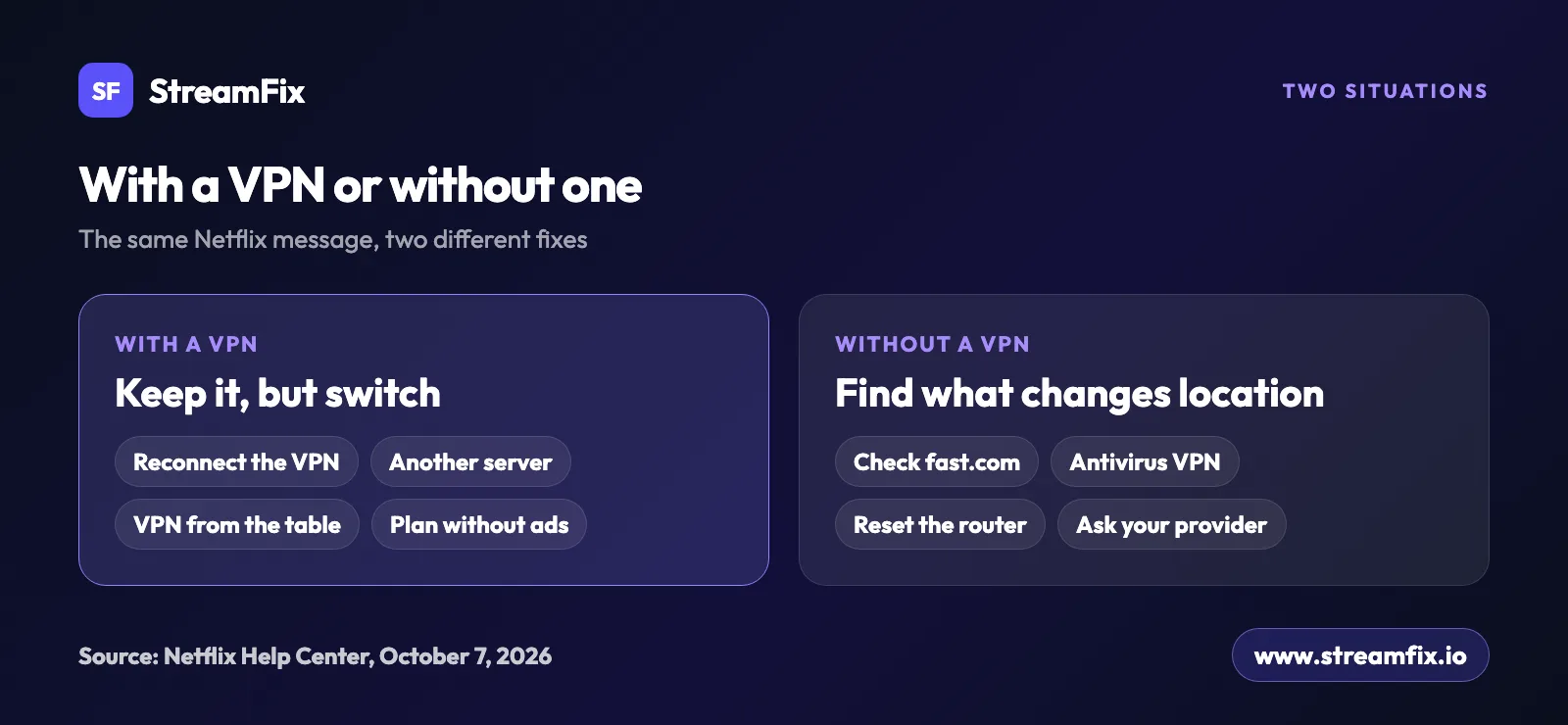
- Not using a VPN? Run fast.com, compare the Client country with your location, and check your antivirus and router.
- VPNs aren’t supported on Netflix’s ad-supported plan or for Live events, whichever server you pick.
- The table in the article shows which VPNs work with Netflix right now, based on StreamFix data.
You press play and Netflix answers with error code E106: “You seem to be using a VPN or proxy. Please turn off any of these services and try again.” This is the Netflix proxy error, and the fix depends on one question: are you actually using a VPN right now?
If you are, the fix is quick, and you may not even have to give up your VPN. If you aren’t, something on your device or network is making Netflix think you are, and Netflix’s own checklist will help you find it. Both paths are below, along with the device codes and the limits worth knowing.
What the Netflix proxy error means
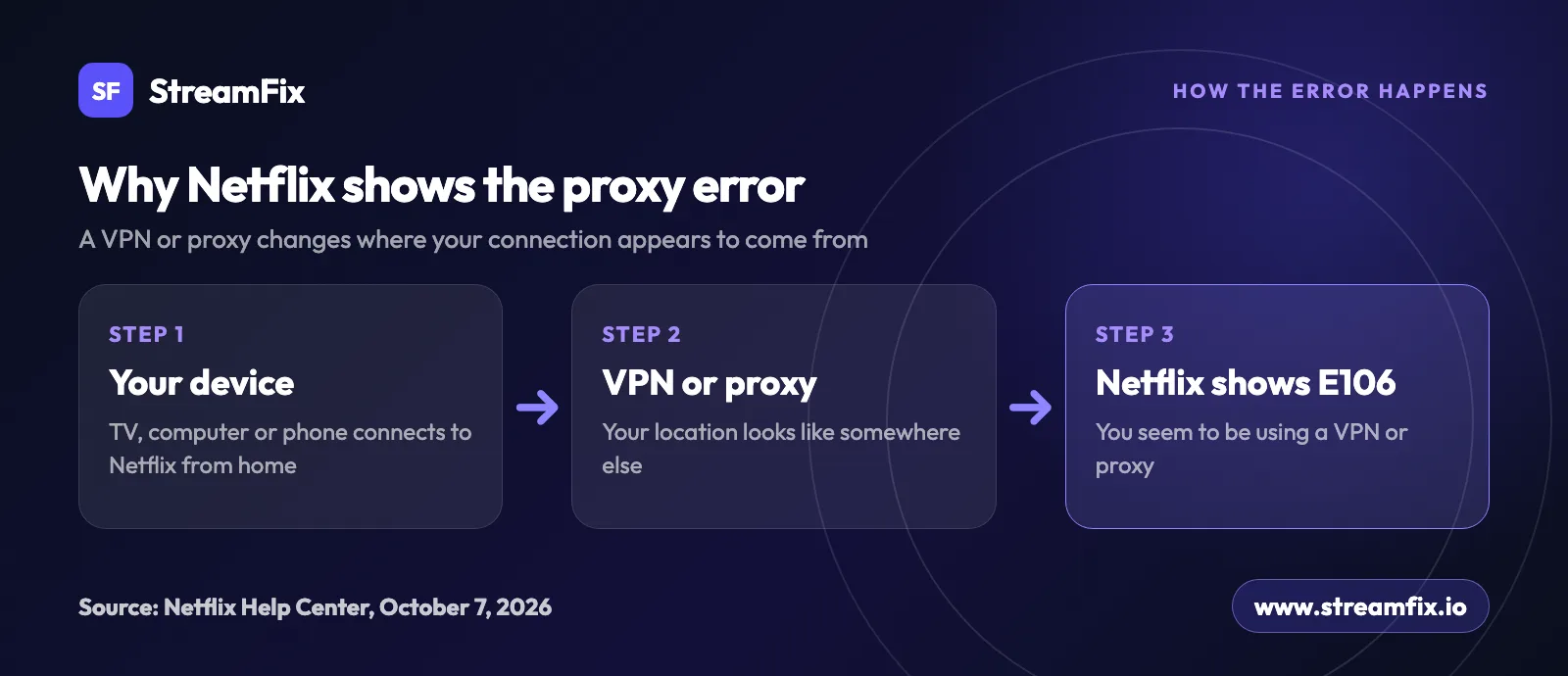
According to Netflix’s help center, the message means that your device or network connects to Netflix through a VPN or proxy service. A VPN can change or hide your internet location, so it looks as if you’re connecting from somewhere other than where you actually are. That’s when Netflix shows the error.
Looking for code M7111-5059? You won’t find it in Netflix’s help center today. Netflix lists the VPN or proxy error there under code E106. Related codes appear on specific devices and plans:
Code | Where | What it means |
|---|---|---|
E106 | General message | “You seem to be using a VPN or proxy.” The main VPN or proxy error. |
tvq-pb-101 (1.10.5059) | TVs and streaming devices | The same VPN or proxy message. |
M7037-1111 | Computer | The same VPN or proxy message. |
E121 | Ad-supported plan | “There’s a problem.” You’re on a plan with ads and connected through a VPN or proxy, which this plan doesn’t support. |
E103 | When opening a title | “This title is not available in your current region.” It can happen while a VPN is on. |
E103 means Netflix can’t determine which country you’re in. Netflix says this can happen while a VPN is active on your device or network, and that turning the VPN off fixes it.
Netflix VPN not working? How to fix the error
Netflix’s own advice is to turn the VPN off. That’s the fastest fix, and if you just want to finish an episode at home, it’s all you need. Plenty of people prefer to keep a VPN on, though: on hotel and airport Wi-Fi, while traveling, or simply for privacy. In that case the VPN needs two things: Netflix must currently work with it, and you need a server in the right country.
The server country matters because Netflix decides what to show based on where your connection appears to come from. Traveling and want your usual shows? Connect to a server in the country where you live and pay for Netflix.
Not every VPN gets through, and the list of those that do changes over time. The table below shows which VPNs work with Netflix right now, based on StreamFix data. Our methodology explains how StreamFix collects and scores that data.
| VPN Service | Price | Netflix | Tested | Action |
|---|---|---|---|---|
 SurfsharkBEST | From $1.78/mo | ✓ Works | October 4 | Try it |
 ExpressVPN | From $2.79/mo | ✓ Works | October 5 | Open |
 NordVPN | From $2.99/mo | ✓ Works | October 4 | Open |
 IPVanish | From $2.19/mo | ✓ Works | October 2 | Open |
 ProtonVPN | From $3.59/mo | ✓ Works | September 30 | Open |
 Private Internet Access | From $1.79/mo | ✓ Works | October 5 | Open |
 CyberGhost | From $1.75/mo | ✓ Works | September 29 | Open |
✓ Works✓ Works✓ Works✓ Works✓ Works✓ Works✓ WorksHow to fix the proxy error with a VPN
Turn the VPN off and on again. Disconnect, reconnect, then try Netflix again.
Pick another server in the same country. If the error stays, switch to a VPN from the table that currently works with Netflix.
Restart the Netflix app. Close it fully, or reload the tab in your browser, then press play again.
Check your plan. VPNs aren’t supported on the ad-supported plan. To watch with a VPN, you need a plan without ads.
- 4,500+ servers
- 100 countries
- Unlimited devices
- 30-day money-back guarantee
What a VPN can’t do on Netflix
A VPN doesn’t make Netflix free. You still pay for your own subscription, and the VPN only changes how you connect. Netflix also states that VPNs aren’t supported for Live events or on the ad-supported plan, whatever server you choose.
Expect a narrower catalog too. With a VPN, Netflix may show you only titles it licenses worldwide, such as Stranger Things or Squid Game. Don’t count on seeing another country’s full library either. You also can’t change the country of your account unless you actually move. If the catalog looks much smaller after you connect, this is the likely reason, and turning the VPN off brings your regional titles back. To see what people are watching on Netflix right now, check our picks of what to watch on Netflix.
Netflix proxy error without a VPN
Seeing the error even though you never installed a VPN? Something on the device or network can still change how your location looks to Netflix.
Check your connection with fast.com
Start with your security software. According to Netflix’s help center, some antivirus programs come with a built-in VPN that might be turned on. Open the app’s settings and look for a VPN or privacy feature.
Then run Netflix’s own check:
On a device that’s on the same network, open a web browser and go to fast.com. Netflix starts a connection test.
When it stops, click Show more info.
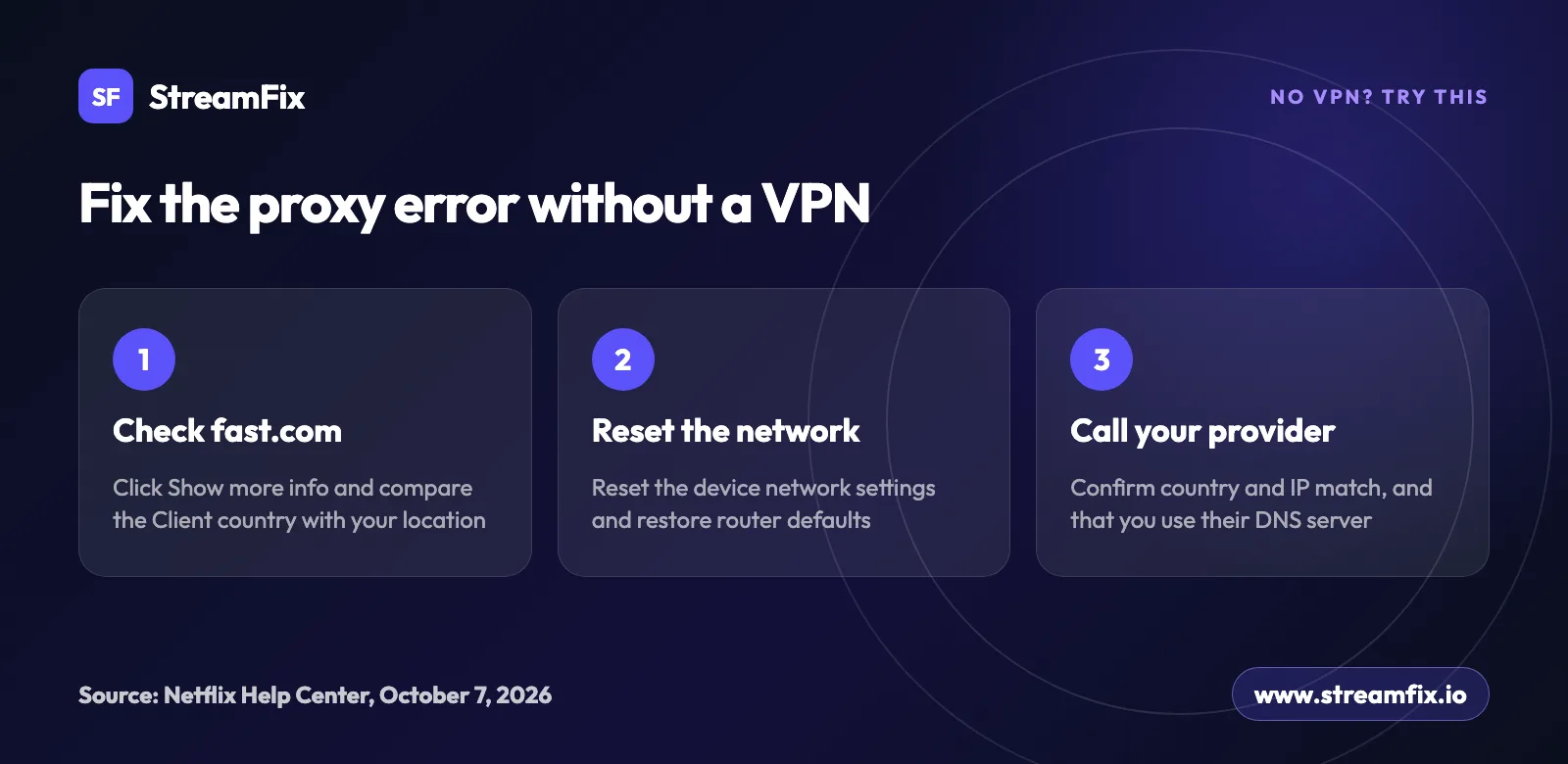
Look at the country next to Client. If it doesn’t match where you are, your device or network likely has a VPN turned on.
Turn that VPN off. If it’s a VPN service, its provider can tell you how.
Reset the network settings on the device that shows the error.
Restore your modem or router to its default settings.
Write down the country and IP address that fast.com shows. You may need them in the next step.
Contact your internet provider and check DNS
If the error survives all of that, Netflix points you to your internet service provider. Share the country and IP address from fast.com and ask them to confirm both match your home connection.
If they match, your provider has to work with Netflix directly to fix the problem.
If they don’t match, ask whether your connection uses the provider’s DNS server. If it does, the provider again has to work with Netflix directly. If it doesn’t, have them help you switch to it, then restart the Netflix app and try again.
To save yourself a call: Netflix customer service can’t help you turn off a VPN, because the steps are different for each VPN or service. That help has to come from the VPN provider, your antivirus vendor, your internet provider or your network administrator.
Netflix proxy error on TV, computer and phone
The wording barely changes between devices, but the code does. On smart TVs and streaming devices, Netflix shows the same message as error tvq-pb-101 (1.10.5059). On a computer it can appear as M7037-1111. On a plan with ads, a VPN or proxy can trigger E121 instead, with the heading “There’s a problem.”
A TV has no web browser for the fast.com check, so run it on a phone or computer on the same network. If the country is wrong there, reset the TV’s network settings and restore the router to its default settings. On a phone or tablet, check the VPN app, your antivirus and the device’s network settings.
Two limits apply on every device. VPNs aren’t supported for Live events on Netflix, and they aren’t supported on the ad-supported plan. If you watch a live event or use a plan with ads, turn the VPN off for that session.
Why Netflix blocks VPNs and proxies
According to Netflix’s help center, each country has its own catalog of original and licensed shows and movies. A title may be available in one country and missing in another, so Netflix needs to know where you’re connecting from. Titles licensed worldwide, like Stranger Things, are the exception, which is why they may be all you see with a VPN. To see how the Netflix library differs from one country to the next, check our Netflix library by country ranking.
Travel inside the European Union works differently. In another EU country, Netflix shows you the same content as at home for a limited period of time. Outside the EU, the titles you can watch may be different. Away from home and missing more than Netflix? Our guides explain how to watch US TV and streaming services from abroad and UK TV from abroad.
Is using a VPN legal? In most countries, yes. Netflix’s terms of use (section 1.5) say you can access content primarily in the country where you set up your account. What Netflix shows you over a VPN is Netflix’s decision, which is why it pays to choose one that currently works with it.
Fix the error and get back to watching
If you’re on a VPN, try another server or switch to one from the table that works with Netflix right now. If you’re not, check fast.com, your antivirus and your router, and call your internet provider as a last step.
- 4,500+ servers
- 100 countries
- Unlimited devices
- 30-day money-back guarantee
Want to know which Netflix plans and features are available in your country? Visit our Netflix guide. To compare more providers, see our VPN reviews and rankings. For a full list of streaming services, browse our streaming platforms catalog. Curious what Netflix costs in other countries? See our Netflix price by country guide.
 NetflixWidely available189 of 194tracked countries
- Fully available: 183
- Partly: 6
- No access or no data: 5
Frequently asked questions
It means Netflix sees your device or network connecting through a VPN or proxy. A VPN can change or hide your location, so it looks like you’re somewhere else. Netflix shows it as error E106 with the message “You seem to be using a VPN or proxy.”
Something on your device or network may still be acting as a VPN. Some antivirus programs include a VPN that might be turned on. Open fast.com, click Show more info and check the country next to Client. If it doesn’t match your location, reset your network settings and your router, then contact your internet provider.
You won’t find M7111-5059 in Netflix’s help center today. Netflix lists the VPN or proxy error there under code E106.
On TVs and streaming devices, the same message appears as error tvq-pb-101 (1.10.5059). Run fast.com in a browser on a phone or computer on the same network. If the country is wrong, reset the TV’s network settings and restore your router to its default settings.
With a VPN, Netflix may show the proxy error, or only titles it licenses worldwide. Try another server in the same country. If that doesn’t help, pick a VPN from the table above that works with Netflix right now, based on StreamFix data.
No. According to Netflix’s help center, VPNs aren’t supported on the ad-supported plan, and you may see error E121 with the message “There’s a problem.” To watch with a VPN, you need a plan without ads.
No. Netflix says its customer service can’t help with turning a VPN off, because the steps are different for each VPN or service. Contact your VPN provider, or your antivirus vendor if the VPN came with your security software.
Using a VPN is legal in most countries. What Netflix shows you over a VPN is up to Netflix. That’s why it makes sense to choose a VPN that currently works with it.
Sources
- Netflix says, ‘You seem to be using a VPN or proxy.’
- Watching TV shows and movies through a VPN
- Netflix Error tvq-pb-101 (1.10.5059)
- Netflix Error M7037-1111
- Netflix says ‘There’s a problem’
- Netflix says ‘This title is not available in your current region.’
- Using Netflix outside of your home
- Changing the country of your account